

Many low-income families search for a “free government iPad,” but there is no program that simply mails a brand-new Apple tablet to everyone. Instead, you may qualify for heavily discounted iPads or low-cost tablets through government-backed programs (like ACP and Lifeline), partner wireless carriers, schools, nonprofits, and a few special initiatives. This guide walks you through every legitimate option, who qualifies, how much you’ll really pay, and how to avoid scams.
Does the government really offer completely free iPads?
No, the government does not run a program that directly hands out free Apple iPads to the general public. There is no single federal “free iPad” benefit that guarantees a free device just for applying.
However, several government assistance programs help reduce the cost of internet and connected devices, and some participating providers choose to offer discounted or nearly free iPads as part of those benefits. In most cases, you’ll:
- Need to prove low income or participation in another assistance program.
- Pay a small co-pay (usually between $10–$50) for the device.
- Get discounts on monthly internet or phone service alongside the tablet.
So the phrase “free government iPad” usually means “deeply discounted iPad through a government-supported program and its providers,” not a 100% free, no-strings-attached device.
How can low-income households get a discounted iPad through government programs?
The two main federal programs that can help you save money on an iPad or tablet are:
- The Affordable Connectivity Program (ACP) – focused on home internet and a one-time device discount.
- The Lifeline program – focused on discounted phone and sometimes data services, with some providers offering tablets.
You don’t get an iPad directly from the government office. Instead, you:
- Qualify for ACP or Lifeline based on income or participation in specific benefit programs.
- Choose a participating provider (e.g., a wireless or broadband company).
- Use your benefit to get a discounted device, such as an iPad or another tablet.
Let’s break these down.
What is the Affordable Connectivity Program (ACP), and how can it help with an iPad?
The Affordable Connectivity Program (ACP) is a federal initiative managed by the FCC that helps low-income households stay connected online.
Key ACP benefits include:
- A monthly discount on home internet service, often up to a set amount per month.
- A one-time discount of up to $100 on a connected device, such as a tablet, laptop, or computer, when purchased through a participating provider.
- A requirement that you pay a small co-pay, usually between $10 and $50, towards the device cost.
Some providers choose to apply this device benefit to Apple iPads (often refurbished or older models), meaning you can get a heavily discounted iPad instead of paying full retail price.
Important takeaway: The ACP doesn’t “give away” free Apple tablets directly; it offers a device subsidy, and the provider decides which models (including possible iPads) are available.
Who qualifies for an ACP iPad or tablet discount?
You may qualify for ACP if your household meets income requirements or participates in specific government assistance programs. While exact thresholds and definitions can change, the most common eligibility pathways include:
- Income-based:
- Household income at or below 200% of the Federal Poverty Guidelines.
- Education-based:
- Received a Federal Pell Grant during the current award year.
- Participation in other assistance programs, such as:
- SNAP (food stamps)
- Medicaid
- Supplemental Security Income (SSI)
- Federal Public Housing Assistance
- Free and Reduced-Price School Lunch or Breakfast Program
- Participation in a provider’s own low-income program, if recognized under ACP rules.
If you qualify under any of these categories, you may be eligible to apply your ACP benefit toward an iPad or tablet with a participating provider.
How much will you actually pay for an ACP iPad?
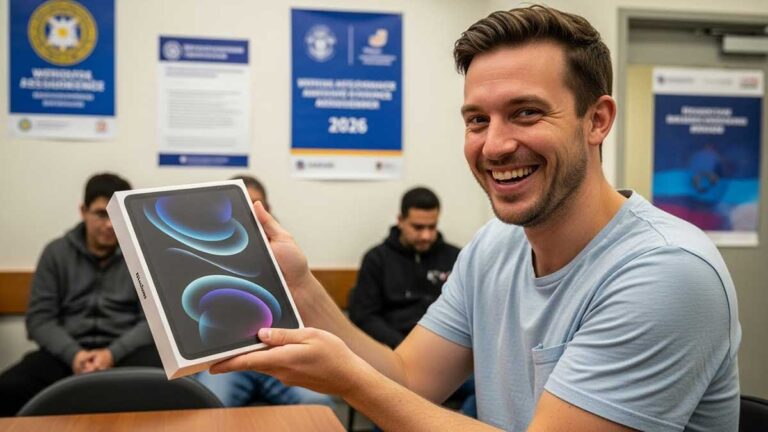
Even with ACP, you usually won’t pay $0 for an iPad. Instead:
- The program provides a one-time device discount (up to $100).
- You must pay between $10 and $50 as your share of the device cost.
- The actual amount you pay depends on:
- Which iPad model does the provider offer.
- Whether the iPad is new, refurbished, or an older generation.
- The provider’s pricing policies.
In addition to the device discount, ACP can also help with monthly internet costs. For qualifying households (especially on tribal lands), that monthly relief can be substantial, making it easier to use your discounted iPad with affordable internet service.
How does the Lifeline program help you save on an iPad?
The Lifeline program is another federal initiative that helps low-income consumers reduce the cost of phone and, in some cases, internet service.
Here’s what Lifeline generally offers:
- A monthly discount on phone service (voice, text, sometimes data).
- Higher discounts (often around $34.25 per month) if you live on qualifying Tribal lands.
- Some providers that participate in the Lifeline bundle offer low-cost tablets or iPads, often with a required co-pay.
You typically:
- Use Lifeline to reduce the cost of your monthly phone or data plan, and
- Take advantage of the provider’s special tablet offers, which may include discounted iPads.
Key point: Lifeline is primarily a service discount, but some providers also offer tablet or iPad promotions with their Lifeline plans.
Who is eligible for a Lifeline tablet or iPad?
Lifeline eligibility is similar to ACP but with a different income threshold. In general, you may qualify if:
- Your household income is at or below 135% of the Federal Poverty Guidelines, or
- You participate in one of the following programs (or similar qualifying programs):
- SNAP (food stamps)
- Medicaid
- Supplemental Security Income (SSI)
- Federal Public Housing Assistance
- Other federal or Tribal assistance programs
If you meet these criteria, you can apply for Lifeline and then look for Lifeline providers that offer tablets or iPads with a small co-pay.
Which ACP and Lifeline providers may offer discounted iPads?
Not all ACP or Lifeline providers offer iPads, and availability varies by state and current promotions. However, some companies are frequently mentioned for offering iPads or other tablets at discounted prices to qualifying customers.
Providers that have been associated with the ACP/Lifeline tablet or iPad offers include:
- Easy Wireless – Known for ACP and Lifeline phone services and low-cost tablets. Some offers include 8-inch tablets for a small co-pay (e.g., around $10.99 in some promotions).
- Assurance Wireless – A T-Mobile brand that participates in Lifeline and may provide discounted tablets in select areas.
- SafeLink Wireless – A TracFone brand that offers Lifeline services and sometimes includes tablets with specific plans.
- Q Link Wireless – Often provides discounted tablets for a small co-pay (for example, around $10.01 in some offers), potentially including larger 10-inch models.
- ReachOut Wireless – Has offered tablet options alongside phone services in select locations.
- Cintex Wireless – Known for ACP and Lifeline bundles; has offered devices like iPad Mini models with a co-pay starting around $10.01.
- AirTalk Wireless – Similar to Cintex Wireless; has been known to provide iPad Mini and iPad Air devices at discounted prices to eligible customers.
Always read the fine print: The exact model, stock availability, and co-pay amount can change frequently. Offers can also differ by ZIP code and eligibility category.
Can you get a free or discounted iPad with EBT benefits?
Electronic Benefit Transfer (EBT) is the system used to distribute benefits like SNAP (food stamps). EBT itself does not directly give out iPads or tablets.
However, having EBT/SNAP benefits can help you qualify for programs like ACP and Lifeline, which in turn can unlock discounted or low-cost tablets, including some iPads, from participating providers.
In simple terms:
- EBT → helps prove you’re low-income.
- Low income → makes you eligible for ACP/Lifeline.
- ACP/Lifeline → may give you access to discounted iPads through approved providers.
So while EBT is not an “iPad program,” it’s a powerful eligibility key that helps you unlock other device discounts.
Which providers offer discounted iPads for EBT or SNAP users?
If you receive SNAP/EBT benefits, some providers under ACP/Lifeline have been known to offer Apple iPads at heavily discounted prices:
- Cintex Wireless
- Has offered iPad Mini (various generations), iPad Air, and older iPad models.
- Devices that retail from around $110 to $230 can sometimes be obtained for as low as $10.01 to $35 with ACP + EBT-based eligibility.
- AirTalk Wireless
- Similar to Cintex, it often provides iPad Mini and iPad Air models to eligible enrollees.
- Reported co-pays are typically in the $10.01-$35 range, depending on the promotion and model availability.
Tip: To see what’s available right now, visit the provider’s website, enter your ZIP code, and check the ACP/Lifeline device catalog. Always confirm:
- The exact model you’re getting
- Whether it is new or refurbished
- The total device co-pay plus any activation fees
Was the Emergency Broadband Benefit (EBB) program a way to get an iPad?
The Emergency Broadband Benefit (EBB) was a temporary federal program created to help households afford internet during the COVID-19 emergency. It:
- Focused on discounts for internet service, and
- Sometimes, it offered discounts on connected devices, including tablets, through participating providers.
While EBB itself was a time-limited program, its design and benefits evolved into the longer-term Affordable Connectivity Program (ACP). If you see older references to EBB-based tablet discounts, understand that:
- Those specific EBB offers are no longer active in their original form, but
- ACP now fills that role, often with similar device and service discount structures.
So today, you’d look to ACP (not EBB) for help getting a discounted iPad.
Can SNAP or food stamps help you get a free iPad through nonprofits?
Beyond ACP and Lifeline providers, several nonprofit organizations work to close the digital divide by refurbishing and distributing devices to low-income households, including those with SNAP/EBT benefits.
These nonprofits may offer low-cost or free tablets, sometimes including iPads, based on available inventory and donations.
Which nonprofit programs may offer tablets or iPads to SNAP recipients?
While availability changes over time, types of organizations to look for include:
- On It Foundation
- Focused on underserved students and families.
- Provides donated computers and devices, including tablets.
- SNAP eligibility and other low-income proofs can strengthen your qualification.
- Human-I-T
- Refurbishes computers, laptops, tablets, and other tech.
- Distributes devices at low or no cost to qualifying households.
- Often pairs hardware with help in finding affordable internet.
- PCs for People
- Specializes in refurbished computers and tablets at highly discounted prices.
- Requires proof of low income or participation in assistance programs such as SNAP.
- ConnectHomeUSA
- A collaborative initiative involving HUD, local governments, ISPs, and nonprofits.
- Focuses on bringing internet and devices to public-housing residents, including tablets.
- EveryoneOn
- A national nonprofit focused on digital inclusion.
- Helps households find low-cost internet, computers, and tablets, and may direct you to local iPad or tablet programs.
Action step: If you receive SNAP/EBT, be sure to mention this when applying or contacting nonprofits, as it often helps verify your low-income status quickly.
Can veterans get a free iPad through the VA telehealth program?
Yes. The U.S. Department of Veterans Affairs (VA) has initiatives that provide eligible veterans with free iPads for telehealth appointments.
Here’s how it generally works:
- The VA wants to ensure veterans can access virtual healthcare, even if they lack a device or a reliable internet connection.
- Eligible veterans may receive an iPad configured for VA telehealth, sometimes with built-in connectivity, so they can:
- Attend video appointments
- Communicate with providers
- Access health-related apps and services
What you should do:
Contact your local VA healthcare facility or your VA care team and ask:
- Whether you qualify for a VA-issued tablet or iPad
- What forms or assessments are needed
- How the device will be delivered and supported
This is one of the few situations where an iPad can be truly free, with no co-pay, because it is part of your healthcare access, not a consumer gadget giveaway.
Do schools and colleges ever provide free iPads to students?
Yes, some K–12 schools, school districts, and universities provide iPads or tablets to students, especially in:
- Low-income communities
- Technology-focused programs
- Remote or hybrid-learning environments
Examples include:
- Certain public school districts that loan or grant 10-inch tablets or iPads alongside free or discounted internet for at-home learning.
- Some colleges and universities offer free iPhone, tablets, or iPads as part of enrollment benefits, scholarships, or special initiatives.
If your household has low income or your child qualifies for free/reduced-price lunch or other assistance programs, your school may prioritize your family for loaner or grant-funded devices.
Next steps for parents and students:
- Contact your child’s school, district office, or counselor.
- Ask about technology programs, device loan schemes, or one-to-one tablet initiatives.
- If available, submit an application explaining your need and low-income status.
What other legitimate ways exist to get a low-cost or “free” iPad?
If government programs or nonprofits don’t work for you, there are other legitimate options to reduce the cost of an iPad. These are not pure “government iPads,” but they can still bring your total cost closer to zero when combined with trade-ins, bill credits, or promotions.
How can mobile carriers help you save on an iPad?
Major carriers sometimes run promotional deals where you can:
- Get a discounted or $0-down iPad when you:
- Switch carriers, or
- Add a new line of service, or
- Trade in an eligible device.
- Receive monthly bill credits over a set period (e.g., 24–36 months) that offset the full price of the iPad.
Standard features of these deals:
- You usually must maintain service for the duration of the installment plan.
- Ending service early may require you to pay the remaining balance on the device.
Can surveys or promotional offers really give you an iPad?
Some websites and companies offer iPads as rewards or prizes for:
- Completing online surveys
- Participating in market research
- Entering sweepstakes or contests
While some are legitimate, many are scams. Be extremely cautious if:
- You’re asked to pay upfront fees to claim a “free” iPad.
- The site requests sensitive personal information (such as a whole SSN or a banking login).
- The offer sounds too good to be true, with no clear company behind it.
How do you apply for a discounted iPad safely? (Step-by-step)
To maximize your chances and protect yourself, follow this simple process:
- Check your eligibility.
- Gather proof of income or documents showing you receive SNAP, Medicaid, SSI, Pell Grant, or housing assistance.
- Confirm whether you qualify for ACP, Lifeline, or both.
- Apply through official channels.
- Use the official ACP or Lifeline application portals (or your state’s official link).
- Never submit sensitive documents to random websites or social media pages.
- Choose a participating provider.
- Once approved, search for ACP/Lifeline providers in your area.
- Check which ones offer tablets or iPads, and compare co-pays and plans.
- Verify the actual device offer.
- Confirm the exact model (e.g., iPad Mini 2, iPad Air 2, etc.).
- Ask whether the device is new or refurbished, and whether a warranty is included.
- Confirm your co-pay and fees.
- Make sure you know:
- One-time co-pay (usually between $10–$50).
- Any activation or shipping fees.
- Whether your monthly plan is affordable after the discount.
- Make sure you know:
- Complete the order and keep records.
- Save screenshots, emails, and order confirmations.
- Track the shipment and test the device as soon as it arrives.
- Use your benefits wisely.
- Make sure your discounted iPad is used for education, work, healthcare, and essential communication, not just entertainment.
How can you avoid “free government iPad” scams?
Because many people are searching for free iPads, scammers target this topic heavily. Protect yourself by watching for red flags:
- Upfront “processing” or “release” fees that are much higher than the typical $10–$50 co-pay.
- Requests for your full Social Security number outside official government or well-known provider sites.
- Websites or messages that guarantee a brand-new, latest-generation iPad for free, with no eligibility verification.
- Pressure tactics (“offer expires in 5 minutes,” “limited to the first 50 people who pay now”).
- Poorly designed websites with no clear company name, address, or customer support contact.
Rule of thumb:
If you’re unsure, search for the provider’s name + “ACP” or “Lifeline” and confirm they’re listed on official resources. When in doubt, contact the provider directly using a verified phone number or website URL.
Is a “free government iPad” really worth pursuing?
Yes—if you approach it realistically and safely. A discounted or low-cost iPad can be a powerful tool for:
- Education – online classes, homework, and research.
- Employment – job searches, remote work, resume building.
- Healthcare – telehealth visits, health apps, prescription management.
- Communication – staying in touch with family, schools, and service providers.
But remember these core truths:
- There is no universal, guaranteed “free government iPad” program.
- Most legitimate offers involve eligibility checks, a small co-pay, and service enrollment.
- The best opportunities usually come from ACP, Lifeline, VA telehealth, schools, and reputable nonprofits.
- Staying informed and cautious helps you unlock real savings while avoiding scams.
If you qualify for low-income assistance programs, it’s absolutely worth exploring these options. With the right program and provider, your “free government iPhone” can become a real, affordable gateway to education, work, and healthcare—even if you pay a small amount upfront to get it.